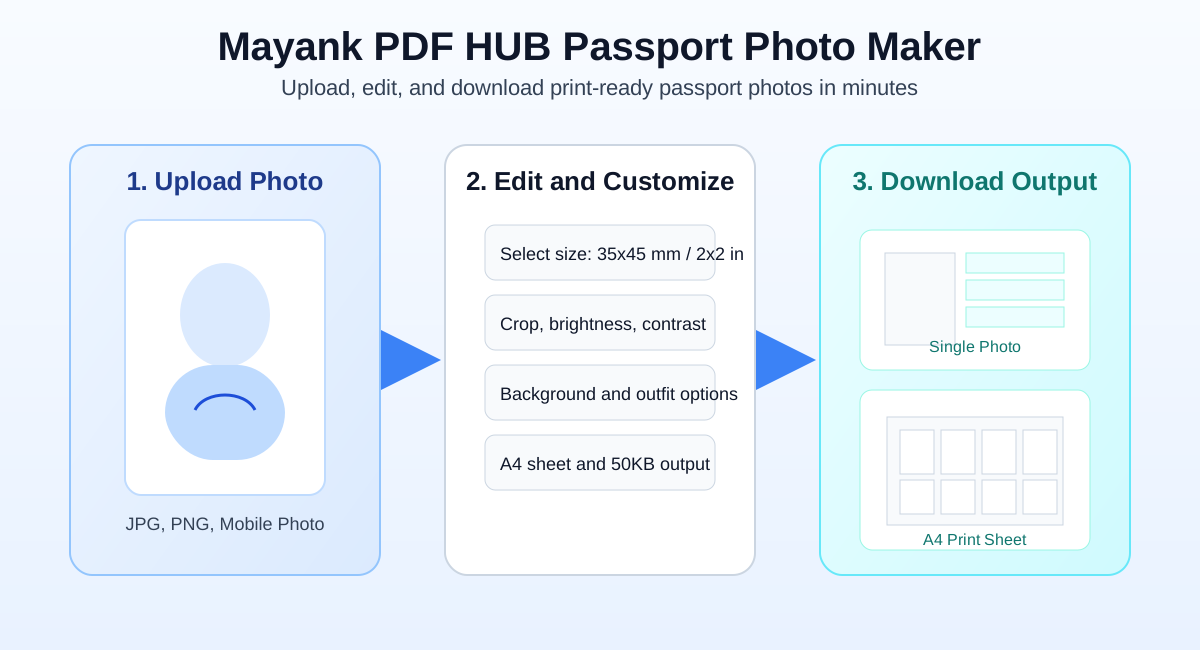
Upload your image, set passport size, crop, tune background, apply outfit, add name/date text, and download single or print sheet layouts.
Select or drag your photo
Works with JPG, PNG, and phone photos. Everything runs in your browser.
Select Passport Size
Choose a preset or add custom dimensions with DPI.
Crop and Adjust Face
Free mouse crop: drag to draw, drag inside box to move, drag edges/corners to resize.
Tip: Double-click the crop area to reset to full image.
100%
0%
0%
0 deg
100%
100%
100%
Background Style
Use a clean color or transparent output, with optional basic background removal.
42
Cloth Options
Optionally add formal cloth overlay categories for passport-style look.
Name & Date Overlay
Add custom name and date text on the photo, with control over position and color.
55%
Download Options
Choose output format and layout for online submission or print sheets.
Passport Photo Ready
Your output file is generated and ready to download.
Tip: Center face, keep shoulders visible, and use white/light backgrounds for best results.
Passport Photo Editor
Make Passport Size Photos Online With Mayank PDF HUB
Create passport, visa, and ID photos in minutes with precise size controls, crop tools, background editing,
and print-ready output. This tool is built for fast online use on mobile and desktop with no registration.
India 3.5 x 4.5 cmUSA 2x2 inchA4 Print LayoutJPG and PNG Export50KB Friendly Output
Simple workflow: upload photo, adjust face and background, then download single image or print sheet.
How To Create Passport Photo
Upload your image from phone or desktop.
Select passport size preset or custom dimensions.
Adjust crop, zoom, rotation, and photo tone.
Set white, blue, or custom background.
Export single photo or multi-copy print layout.
Why Users Choose This Tool
Fast browser-based editing and preview
No sign-up and no software installation
Supports common passport and visa formats
Professional output for forms and applications
Mobile-friendly editing experience
Built-In Features
Face alignment and crop controls
Brightness, contrast, and saturation tuning
Background cleanup options
Name/date overlay support
4x6 and A4 print layout generation
Supported Passport and ID Sizes
35 x 45 mm
2 x 2 inch
50 x 70 mm
4 x 6 cm
5 x 5 cm
Visa Photo Size
ID Card Size
Custom Size
Where You Can Use These Photos
Passport and visa application portals
Aadhaar, PAN, and driving license forms
College admissions and job applications
Government service forms and ID cards
Resume and online profile photos
Print and Upload Tips
Use white or required official background color
Keep full face visible with clean shoulder line
Choose A4 multi-photo layout to save print cost
Use lower-size output when a portal has KB limit
Review dimensions before final download
FAQ - Mayank PDF HUB Passport Photo Maker
Is this passport photo maker free to use?
Yes, this tool is free and works directly in your browser for quick passport-style photo creation.
Can I create photos for different countries?
Yes, you can use presets like 35 x 45 mm and 2x2 inch, or define your own custom dimensions.
Can I download print-ready sheet formats?
Yes, you can export single photos or choose layouts like 4 copies on 4x6 and 8 or 32 copies on A4.
Can I change background and improve photo quality?
Yes, the editor supports background options, crop controls, and brightness/contrast/saturation adjustment.